Step-by-step guide
To access your ACC or BIM 360 Docs files with this app, you need to connect your ACC or BIM 360 account with the app.
- Log in to ACC or BIM 360 Account Administration . Note that you need account administrator permissions.
- If you have more than one account, select the account you want to integrate with the app.
- From the toolbar, select
SETTINGS > Apps & Integrations.

- Click the
Add Integration button.
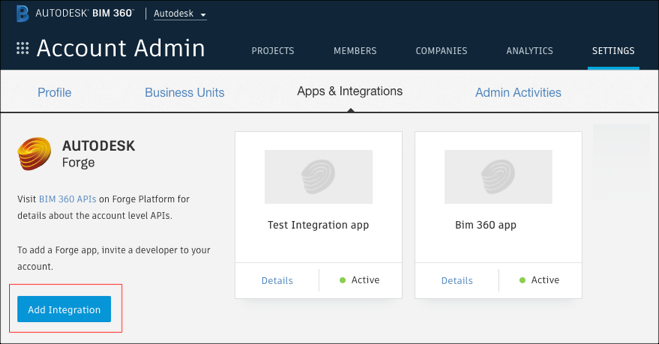
- Select BIM 360 Account Administration and BIM 360 Docs, and click Next.
- Select I’m the developer, and click Next.
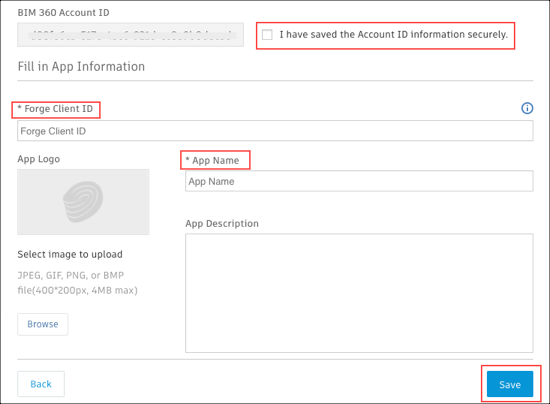
- In the APS Client ID and App Name fields, enter the APS client ID and app name provided by the app retailer.
- Select the I have saved the Account ID information securely checkbox.
- Click
Save.
Congratulations! You can now access your ACC or BIM 360 Docs files.